Single or multiple offers
Choose the appropriate offer layout and show its terms.

Present optional checkout add-ons and native single- or multi-offer post-sell pages, with clear selection and consent.
Choose the appropriate offer layout and show its terms.
Combine the buyer’s selected items into one post-sell payment.
Keep both decisions available and explicit.
Retain the successful payment’s credential and merchant account.
Use single-offer, multiple-offer and cart blocks on a native post-sell page. Buyers select the items they want; the basket and total remain visible.
Offer a single product or let the buyer choose several.
Eligible post-sells use the successful initial payment’s saved credential and exact merchant account (MID). They do not cascade to a different account; supported provider capabilities and explicit consent are required.
Accept and decline remain explicit customer actions.
Accept or decline leads to the configured next step. A native Thank-you page shows captured order details, while reporting keeps the initial sale and post-sell financial records distinct.
The captured receipt reflects the selected items and totals.
Accept or decline leads to the configured next step. A native Thank-you page shows captured order details, while reporting keeps the initial sale and post-sell financial records distinct.
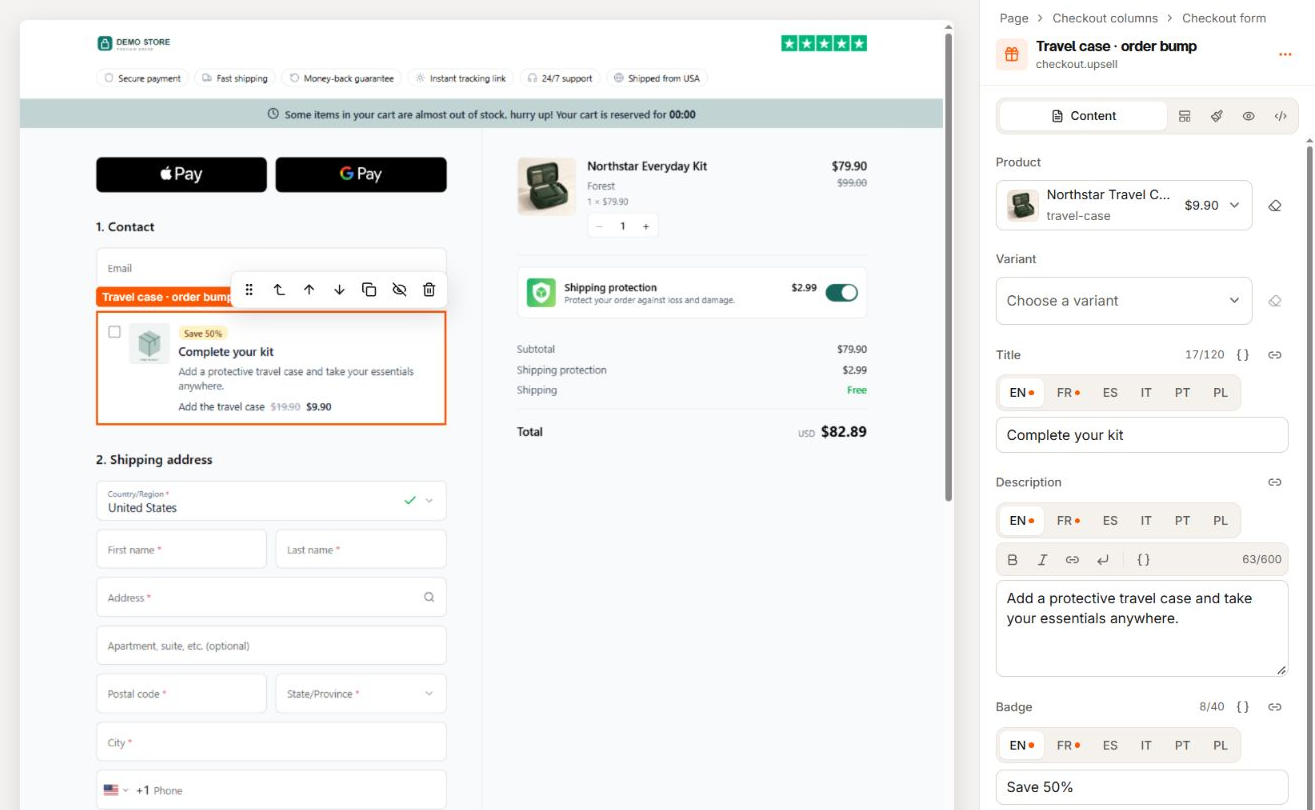
Choose the appropriate offer layout and show its terms.
Combine the buyer’s selected items into one post-sell payment.
Keep both decisions available and explicit.
Retain the successful payment’s credential and merchant account.
Publish the offers and their page layout.
Let the buyer select, accept or decline explicitly.
Record the confirmed result and render the receipt.
Checkout add-ons are included in the initial order. Native post-sell offers are presented after a successful initial payment and create their own confirmed payment record.
Yes. Multiple-offer and selected-cart blocks show the chosen items and combine them into one post-sell payment.
No. Buyers select their items and explicitly accept or decline.
The exact merchant account (MID) and saved credential from the successful initial payment. A post-sell does not cascade to another account.
No. An eligible initial payment, supported provider capability and consent are required. Approval is never guaranteed.
A native Thank-you page uses captured order details and totals, with editable confirmation, summary, customer, tracking and contact blocks.
Yes. Initial payments and post-sells remain distinct financial records, including configured affiliate cuts and later adjustments.
Availability follows your account permissions and provider configuration. Review the supported payment setup with the team.

Let’s connect your checkout, payments and recurring revenue.
See what your operation could look like.