Entry and connections
One explicit start with visual connections between nodes.

Connect landing pages, checkouts, post-sell and Thank-you pages from one Entry point. Choose the path with A/B tests and conditions.
One explicit start with visual connections between nodes.
Choose weighted paths or configured conditions.
Keep draft editing separate from the live journey.
Walk rendered pages without a buyer payment.
Use the canvas to connect Entry, landing pages, checkouts, post-sell and Thank-you pages. Saved offer links can supply a checkout’s products and presentation.
Use the same canvas to connect the supported page types.
Weighted A/B nodes and conditions select a path. Publish the flow and assign it to a store or standalone checkout; existing sessions retain their pinned versions.
Preview the rendered journey without creating a payment.
Open the rendered preview and follow its decisions. The simulated preview does not charge; buyer actions still require a valid session and payment authority.
A published flow is distinct from the next editable draft.
Open the rendered preview and follow its decisions. The simulated preview does not charge; buyer actions still require a valid session and payment authority.
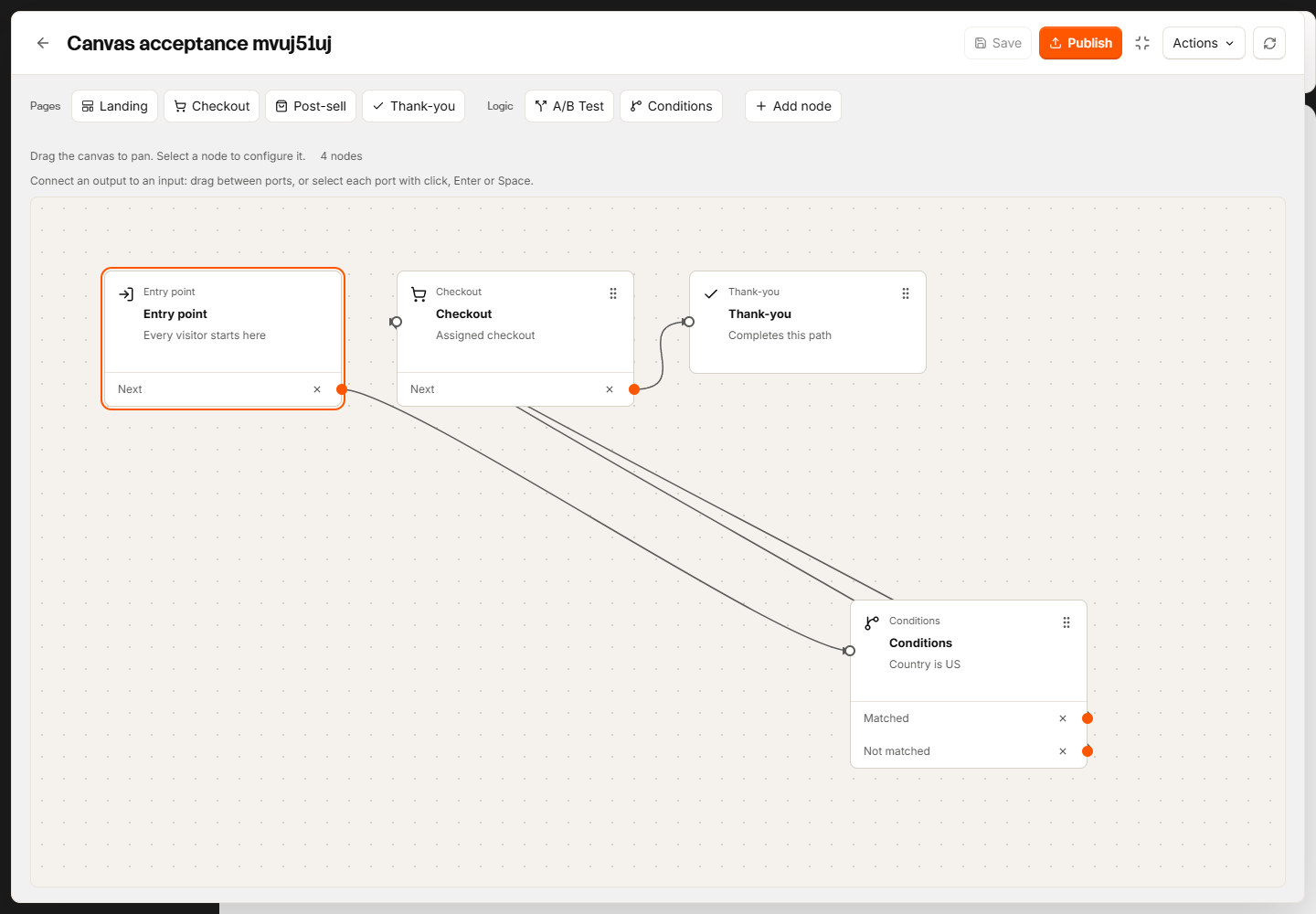
One explicit start with visual connections between nodes.
Choose weighted paths or configured conditions.
Keep draft editing separate from the live journey.
Walk rendered pages without a buyer payment.
Add pages and connect them from Entry.
Configure branches, preview and publish the flow.
Assign the flow and inspect actual checkout outcomes.
Entry, landing pages, checkouts, post-sell and Thank-you pages, with weighted A/B branches and conditions.
Choose a saved offer link as the source for a checkout node’s products and presentation. The link is not a separate node type.
Yes. Use the shared visual editor and responsive controls for native landing, checkout, post-sell and Thank-you pages.
Walk the rendered pages in the safe preview. Its actions are simulated and cannot charge.
Work in a draft and publish when ready. Existing sessions retain their pinned published versions.
Assign the published flow in the store configuration. New eligible sessions enter through its Entry node.
No. An eligible post-sell retains the successful initial payment’s saved credential and exact MID, subject to provider capability and consent.
Availability follows your account permissions and provider configuration. Review the supported payment setup with the team.

Let’s connect your checkout, payments and recurring revenue.
See what your operation could look like.