



A native store or your own interface.
Use the Store Builder, a visual checkout or API access. Pick the entry point that fits your product and team.

Choose the purchase experience, payment controls and reporting that fit the operation you are building.
Use the Store Builder, a visual checkout or API access. Pick the entry point that fits your product and team.
Organise supported accounts, allocation and card controls. Make route and fallback decisions explicit instead of relying on an informal process.
Add a subscription plan when the offer calls for it. Keep the customer’s choice, charge timing and lifecycle actions connected.
Read commerce and payment results by useful dimensions. Connect exports and scoped APIs to your own operating tools.
Start with what is sold, how it is presented and what happens after payment. Choose the native page tools or an API integration to match those steps.
The customer experience determines which builder and integration controls will be useful.
List the supported accounts, allocation priorities and recurring needs. Configure the relevant card rules, authentication and fallback policy.
Confirm the provider and business-model fit as part of the operating setup.
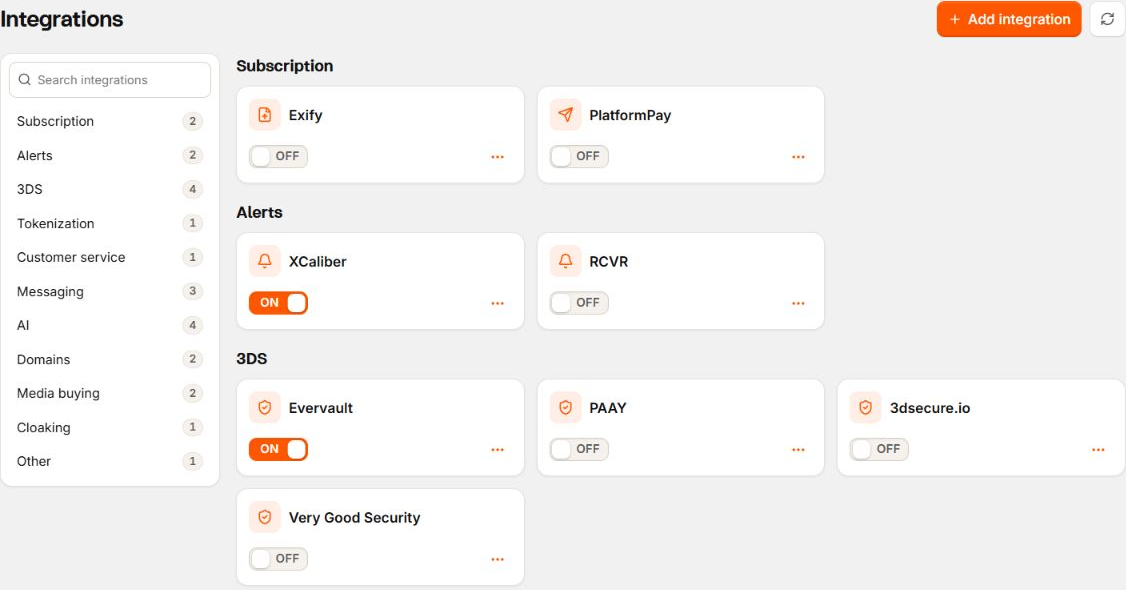
Bring supported commerce, messaging, acquisition and alert services into the flow. Choose the reports and API access the team will use to review the outcome.
Each service keeps its own role while sharing purchase or payment context.
Bring your actual purchase journey and processing requirements to a demo, then map them to the controls your team will use.
No. Availability depends on the business model, market, account and provider configuration. The demo is the place to confirm the exact setup.
Use the Store Builder, a visual checkout or API access. Pick the entry point that fits your product and team.
Organise supported accounts, allocation and card controls. Make route and fallback decisions explicit instead of relying on an informal process.
Add a subscription plan when the offer calls for it. Keep the customer’s choice, charge timing and lifecycle actions connected.
Read commerce and payment results by useful dimensions. Connect exports and scoped APIs to your own operating tools.
Start with what is sold, how it is presented and what happens after payment. Choose the native page tools or an API integration to match those steps. The customer experience determines which builder and integration controls will be useful.
List the supported accounts, allocation priorities and recurring needs. Configure the relevant card rules, authentication and fallback policy. Confirm the provider and business-model fit as part of the operating setup.
Bring supported commerce, messaging, acquisition and alert services into the flow. Choose the reports and API access the team will use to review the outcome. Each service keeps its own role while sharing purchase or payment context.

Let’s connect your checkout, payments and recurring revenue.
See what your operation could look like.