

A checkout for the event offer.
Present the product, price and order clearly. Adapt the page and mobile layout to the purchase you are selling.

Give attendees a clear purchase page and your event system a confirmed payment result to work with.
Present the product, price and order clearly. Adapt the page and mobile layout to the purchase you are selling.
Use supported attribution and checkout variants to understand the traffic arriving at the purchase step. Compare completed payments, not just visits.
Read payment status through the API and connect it to your booking workflow. Your event system applies issuance and capacity rules.
Review refunds and supported alerts alongside the original payment. Keep customer support connected to the purchase record.
Build a clear event offer with the actual price and order details. Review how the page works on the phone carrying the campaign traffic.
Published checkout profiles can be compared with weighted traffic assignment.
Connect status access to the booking workflow before your system issues the ticket. Keep payment state distinct from inventory and admission state.
Ticket issuance, reserved seating and check-in stay with your event platform.
Review transaction, refund and supported alert records when an attendee has a payment issue. Group reporting by event product or store.
The payment history provides an operating record around the event purchase.
Give your event systems and support team a connected payment record from the customer’s purchase through any later follow-up.
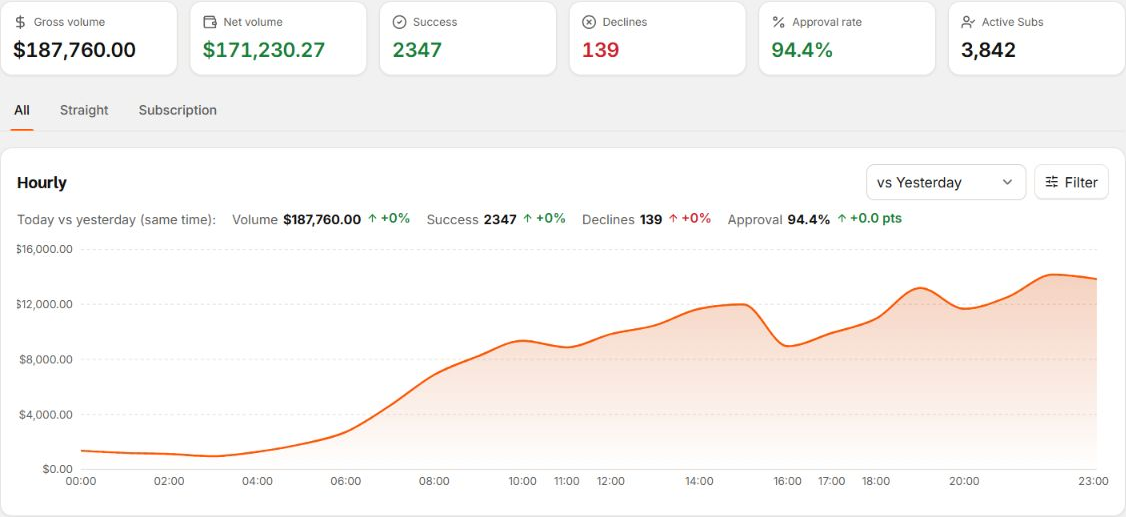
No native seat-map or admission-scanning workflow is established here. The team can review how the purchase and payment flow connects to your ticketing system.
Present the product, price and order clearly. Adapt the page and mobile layout to the purchase you are selling.
Use supported attribution and checkout variants to understand the traffic arriving at the purchase step. Compare completed payments, not just visits.
Read payment status through the API and connect it to your booking workflow. Your event system applies issuance and capacity rules.
Review refunds and supported alerts alongside the original payment. Keep customer support connected to the purchase record.
Build a clear event offer with the actual price and order details. Review how the page works on the phone carrying the campaign traffic. Published checkout profiles can be compared with weighted traffic assignment.
Connect status access to the booking workflow before your system issues the ticket. Keep payment state distinct from inventory and admission state. Ticket issuance, reserved seating and check-in stay with your event platform.
Review transaction, refund and supported alert records when an attendee has a payment issue. Group reporting by event product or store. The payment history provides an operating record around the event purchase.

Let’s connect your checkout, payments and recurring revenue.
See what your operation could look like.