

Your page. Block by block.
Arrange the product story, customer details, delivery, payment and order summary on the canvas. Use the page structure to move, duplicate or reuse a group without rebuilding it.

Build store checkouts and account-enabled standalone offers with responsive blocks, previews and separate drafts.
Made for your everyday.$48.00
Give the offer its own layout, then connect every block to the checkout behind it.
Arrange the product story, customer details, delivery, payment and order summary on the canvas. Use the page structure to move, duplicate or reuse a group without rebuilding it.
Set mobile column order, spacing and visibility instead of hoping the desktop page compresses well. Review the result in desktop, tablet and phone previews.
Link an order bump to a catalog product and variant. Selected offers flow into the order total, while subscription blocks show the billing choice beside its terms.
Work in a draft and preview before publishing. When you need to revisit an earlier version, bring it back into the draft from version history.
A compact form suits a familiar product. A Long-form page gives a more involved offer room for video, testimonials and FAQs before payment.
Start with Classic, Market, Minimal, Long-form or a template with offers. Keep the structure that works and change the rest.
Edit copy, imagery, typography and spacing in context. Control device visibility and use scoped CSS for the finishing touches your brand needs.
The preview shares the storefront renderer, so the page you review is connected to the checkout implementation.
Assign a published checkout or flow to a store. Configure weighted A/B branches and conditions from Entry in the Flows. Compare visitors, Pay clicks, completed payments and order value.
Required payment and consent elements are validated before publication.
Your checkout becomes a working part of the growth process: edit the experience, publish a version and follow what customers do with it.
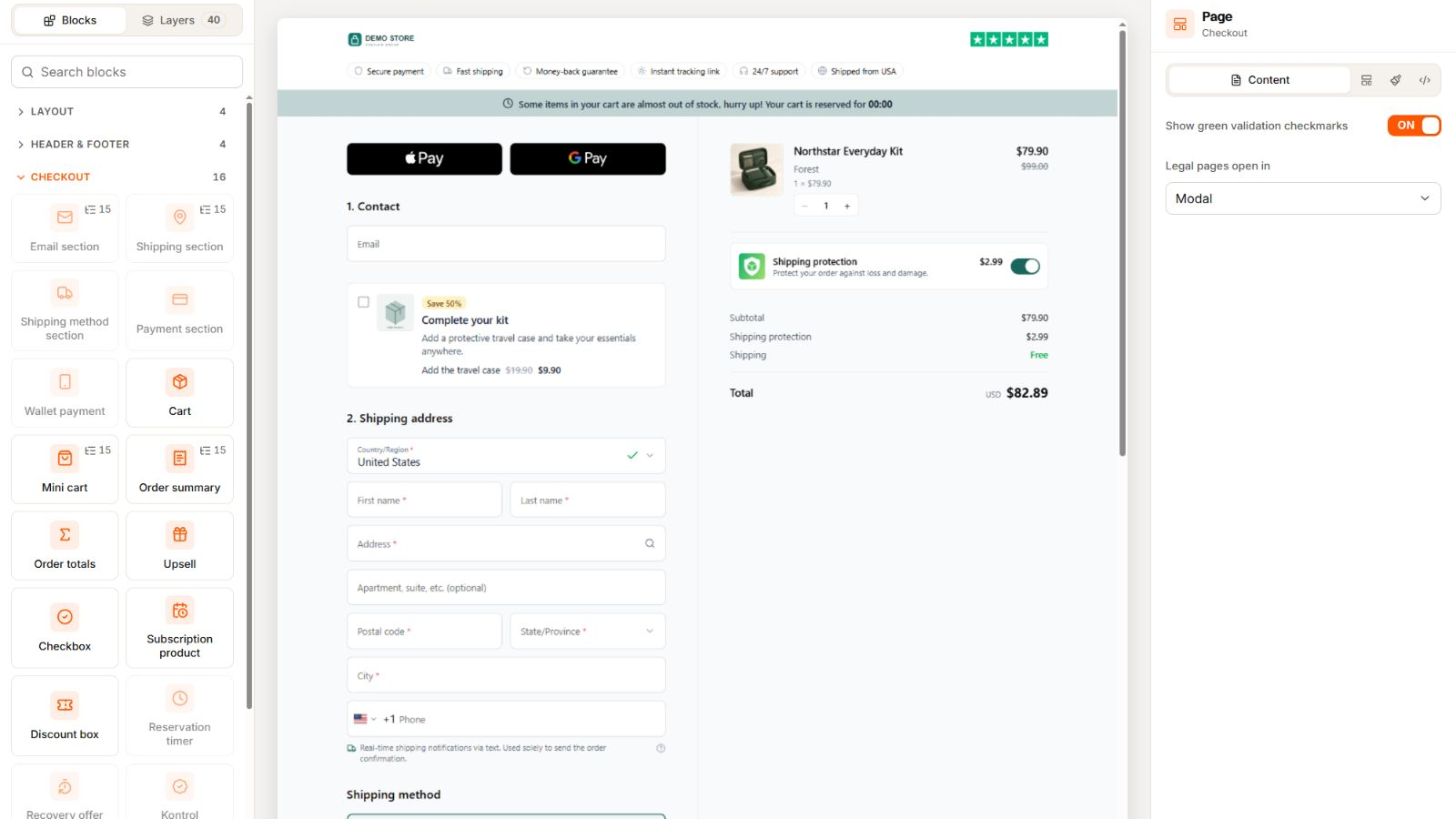
Start from Classic, Market, Minimal, Long-form or a layout with offers, then edit the blocks.
Drag blocks into place, reorder layers, duplicate selections and save reusable groups.
Edit localized copy, linked images, typography, spacing, backgrounds and scoped custom CSS.
Preview desktop, tablet and mobile with responsive visibility, column order and spacing.
Preview a draft, publish a version and restore a previous version into the draft.
Required payment and consent elements are checked before publishing.
82 block types and 322 variants across supported page builders, including nested popups, galleries and content sliders.
Choose a page template and add the blocks your offer needs.
Preview content, product offers and layout across devices.
Publish the checkout and assign it to the stores that should use it.
Yes. The builder includes page structure, checkout blocks, content, templates, styling, device visibility and scoped custom CSS. You can save selected blocks for reuse.
Yes. Work is saved as a draft. Preview it before publishing, and restore an earlier published version into the draft from version history.
Yes. Desktop, tablet and mobile previews accompany responsive style and visibility controls, including mobile column order and order-summary behaviour.
Start with Classic, Market, Minimal, Long-form or a template with offers. Each starting point can be edited in the visual builder.
Yes. Select a group, save it for reuse and place it in another layout. You can also move or duplicate blocks within the current page.
Yes. Link an order bump to a catalog product and variant. Selected items become part of the order summary and total.
Publish the checkout profile, then assign it to the stores that should use it. You can reuse a profile across stores.
connect published checkouts through weighted A/B nodes in a flow and assign that flow to the store. The selected route remains associated with the buyer’s outcome.

Let’s connect your checkout, payments and recurring revenue.
See what your operation could look like.